Notification History1.0
Publisher Description
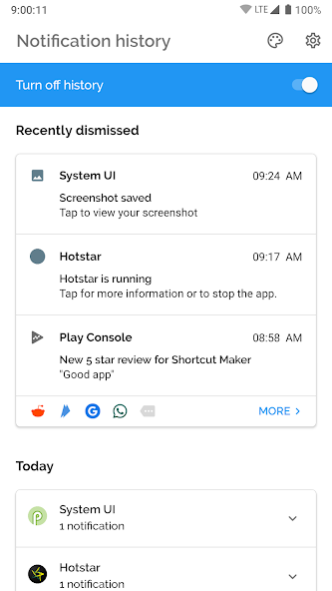
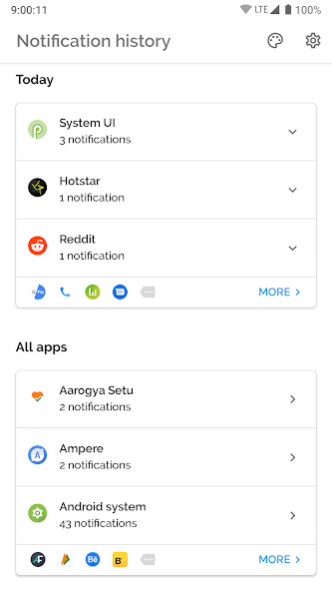

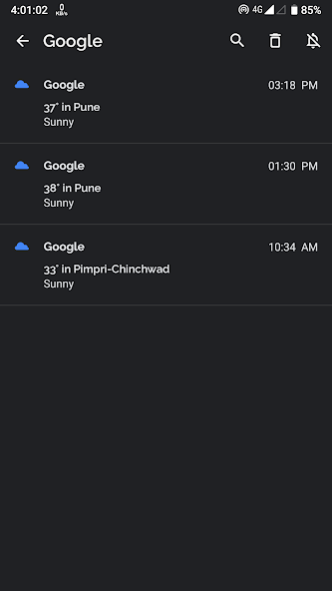
Have you ever missed an important notification shown in your device status bar?
No worries! "Notification History" can safely store them for you.
This app mainly focuses on bringing features of "Notification History" as seen in DP2 of android 11 to older devices. Thanks :)
And because of this, app will be always free and ad-free.
Features:
- Beautiful Interface
- Light/Dark Theme.
- Saves all dismissed and snoozed notifications.
- Detailed notification preview.
- App wise sorting of the notifications.
- Contribution via donation (optional).
Permission Details:
Notification Access: To get the notifications from notification tray and store them locally on your mobile
If you wish to add any features in this app, please send me your responses and feedbacks on Rkamewar1111@gmail.com (Don't forget to add app name in subject)
Special Thanks to MaterialSearchView (Thanks MiguelCatalan! :)) for providing a free searchview with a clean UI with simple implementation. Here's the link the library I used for this:
https://github.com/MiguelCatalan/MaterialSearchView
About Notification History
The company that develops Notification History is Rushikesh Kamewar. The latest version released by its developer is 1.0.
To install Notification History on your Android device, just click the green Continue To App button above to start the installation process. The app is listed on our website since 2020-05-04 and was downloaded 4 times. We have already checked if the download link is safe, however for your own protection we recommend that you scan the downloaded app with your antivirus. Your antivirus may detect the Notification History as malware as malware if the download link to rk.android.app.notificationhistory is broken.
How to install Notification History on your Android device:
- Click on the Continue To App button on our website. This will redirect you to Google Play.
- Once the Notification History is shown in the Google Play listing of your Android device, you can start its download and installation. Tap on the Install button located below the search bar and to the right of the app icon.
- A pop-up window with the permissions required by Notification History will be shown. Click on Accept to continue the process.
- Notification History will be downloaded onto your device, displaying a progress. Once the download completes, the installation will start and you'll get a notification after the installation is finished.
Program Details
System requirements
Download information
Pricing
Version History
version 1.0
posted on 2020-05-04
1. For android P and above, now you can use fingerprint to secure the app. (You can find this in Settings> Notification Log settings)
2. Bring notification back from history to notification panel.
